Cut the Cloud Cord: A Practical Playbook for Running Your Own Decentralized Stack
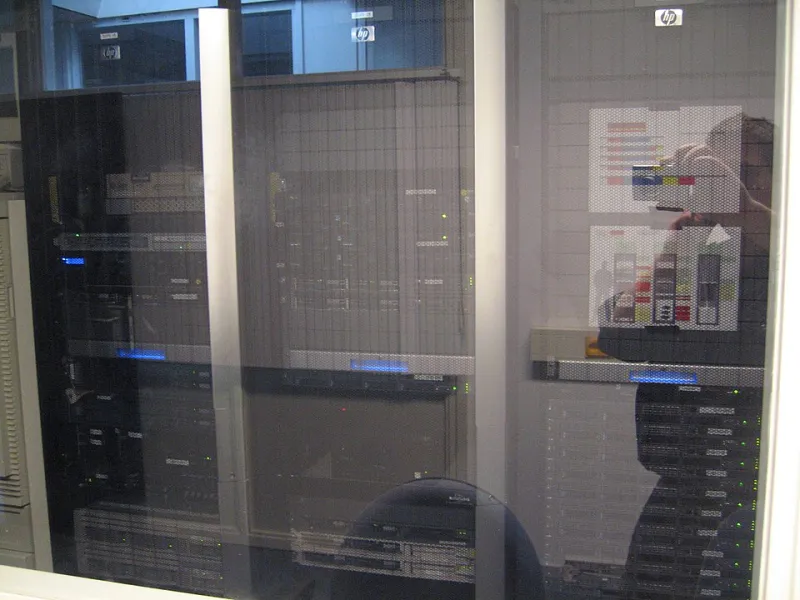
Photo: Jemimus, CC BY 2.0, via Wikimedia Commons
Let's be honest: AWS, Google Cloud, and Azure are genuinely impressive pieces of engineering. They abstract away a staggering amount of complexity, and for a lot of use cases, that convenience is worth the monthly bill and the vendor lock-in.
But here's the thing — that convenience comes with strings. Your data lives on someone else's servers, subject to their terms of service, their pricing decisions, and their relationship with law enforcement. When Cloudflare decides to drop a customer, or AWS suspends an account over a policy interpretation, there's no appeals court. You're at the mercy of a corporate infrastructure that was never designed with your sovereignty in mind.
More and more developers in the US are deciding that's not good enough. And the tooling to do something about it has never been more accessible. Here's how to actually get started.
Step 1: Figure Out What You're Actually Trying to Replace
Before you go buying a rack of used servers off eBay, take thirty minutes to map out what you're currently using cloud infrastructure for. Most developers' cloud dependencies fall into a handful of categories:
- Storage (files, backups, media assets)
- Compute (running applications, APIs, scheduled jobs)
- Databases (relational and NoSQL)
- DNS and networking
- Identity and authentication
- CI/CD pipelines
You don't have to replace everything at once — and honestly, you probably shouldn't. Pick the category where the combination of cost, privacy concern, and technical feasibility is most favorable for your situation. For most individual developers, that starting point is storage.
Step 2: Start With Distributed Storage
This is the lowest-friction entry point into decentralized infrastructure, and the options have gotten genuinely good.
IPFS (InterPlanetary File System) is the most well-known protocol here. Files are addressed by their content hash rather than their location, which means the same file can be served from multiple nodes without coordination. For static assets, documentation sites, or archival content, IPFS is worth experimenting with. Tools like Kubo (the reference implementation) and Pinata (a pinning service that bridges IPFS with a more familiar API) make it approachable.
Storj is a commercial distributed storage network that splits and encrypts your data across a global network of operator nodes. It's S3-compatible, which means you can swap it in for most AWS S3 use cases with minimal code changes. Pricing is competitive with major cloud providers, and you're not handing your data to a single corporate entity.
Backblaze B2 isn't decentralized in the protocol sense, but it's worth mentioning as a stepping stone — it's dramatically cheaper than S3 and operated by an independent company with a track record of transparency. If you're not ready to go full peer-to-peer, B2 is a meaningful step toward reducing big-cloud dependency.
For local-first setups, Syncthing is a peer-to-peer file synchronization tool that runs entirely on your own hardware, with no relay servers required. It's rock solid, open source, and genuinely one of the best pieces of software you can install on a home server.
Step 3: Get Comfortable With Self-Hosted Compute
This is where things get more involved, but also more rewarding. Running your own compute means either managing physical hardware or renting VPS instances from smaller, independent providers — and then handling your own orchestration.
Hardware options: A used mini PC (Beelink, Intel NUC, or even a repurposed ThinkPad) running Linux can handle a surprising amount of workload for personal or small team use. Add a UPS for power resilience, set up automatic updates, and you've got a home server that costs less per year than a modest EC2 instance.
Independent VPS providers to know: Hetzner (German-operated, US data centers available), Vultr, and Linode/Akamai are all meaningfully more independent than the hyperscalers. They're not decentralized in the peer-to-peer sense, but they diversify your infrastructure risk.
Orchestration: If you're running multiple services, Docker Compose is your best friend for getting started — it's simple, well-documented, and handles 90% of self-hosting use cases without the complexity of Kubernetes. When you're ready to scale up, Nomad (from HashiCorp) is lighter weight than K8s and works well for smaller clusters.
Step 4: Reclaim Your Networking Layer
DNS is one of the most overlooked attack surfaces in personal infrastructure. The domain name system is technically distributed, but in practice most traffic flows through a handful of resolvers that log everything.
Run your own DNS resolver: Pi-hole is the classic choice — it runs on a Raspberry Pi or any Linux box, blocks ads and trackers at the network level, and gives you full visibility into DNS queries on your network. Pair it with Unbound as a recursive resolver and you're no longer depending on Google (8.8.8.8) or Cloudflare (1.1.1.1) to resolve your queries.
Mesh networking: Tailscale (built on WireGuard) lets you create a private mesh network across all your devices and servers, regardless of where they're physically located. It's not fully decentralized — Tailscale's coordination server is still centralized — but the underlying WireGuard tunnels are peer-to-peer and encrypted. For a fully self-hosted alternative, Headscale is an open-source Tailscale control server you can run yourself.
Step 5: Self-Host the Services You Actually Use
Once you've got storage and compute sorted, the world of self-hosted software opens up. A few worth knowing:
- Gitea or Forgejo — self-hosted Git hosting, GitHub alternative
- Nextcloud — file sync, calendar, contacts, and more
- Vaultwarden — self-hosted Bitwarden-compatible password manager
- Immich — self-hosted Google Photos alternative (actively developed, highly recommended)
- Miniflux — lightweight RSS reader
- Authentik or Keycloak — identity and SSO for your self-hosted stack
Coolify and Caprover are both excellent self-hosted PaaS platforms that give you a Heroku-like deployment experience on your own hardware, which dramatically lowers the operational overhead of running multiple services.
The Honest Part: What's Still Hard
Let's not sugarcoat it. Self-hosting has real costs beyond the obvious ones. You're on the hook for uptime, backups, security patching, and debugging weird network issues at 11pm. The operational burden is real, and for production systems serving users, the reliability bar is high.
Backups are the most commonly neglected piece. Follow the 3-2-1 rule: three copies of your data, on two different media types, with one copy offsite. Tools like Restic (with encryption and deduplication) make this manageable, but it requires intentional setup.
Security is the other big one. A self-hosted server exposed to the internet is a target. Keep your software updated, use fail2ban or Crowdsec for intrusion prevention, put services behind a reverse proxy like Caddy or Nginx with automatic HTTPS, and consider a firewall that defaults to deny.
Why It's Worth It Anyway
Here's the thing about building your own decentralized stack: beyond the cost savings and the privacy benefits, it teaches you something that years of clicking around in AWS consoles won't. You start to understand how the internet actually works — how packets move, how services discover each other, how trust gets established between systems.
That knowledge makes you a better developer. And in a world where digital infrastructure is increasingly controlled by a handful of corporations, it also makes you a more resilient one. At Hive Project, that's kind of the whole point — building things together, on our own terms.
